 PulsePom
Focus timer
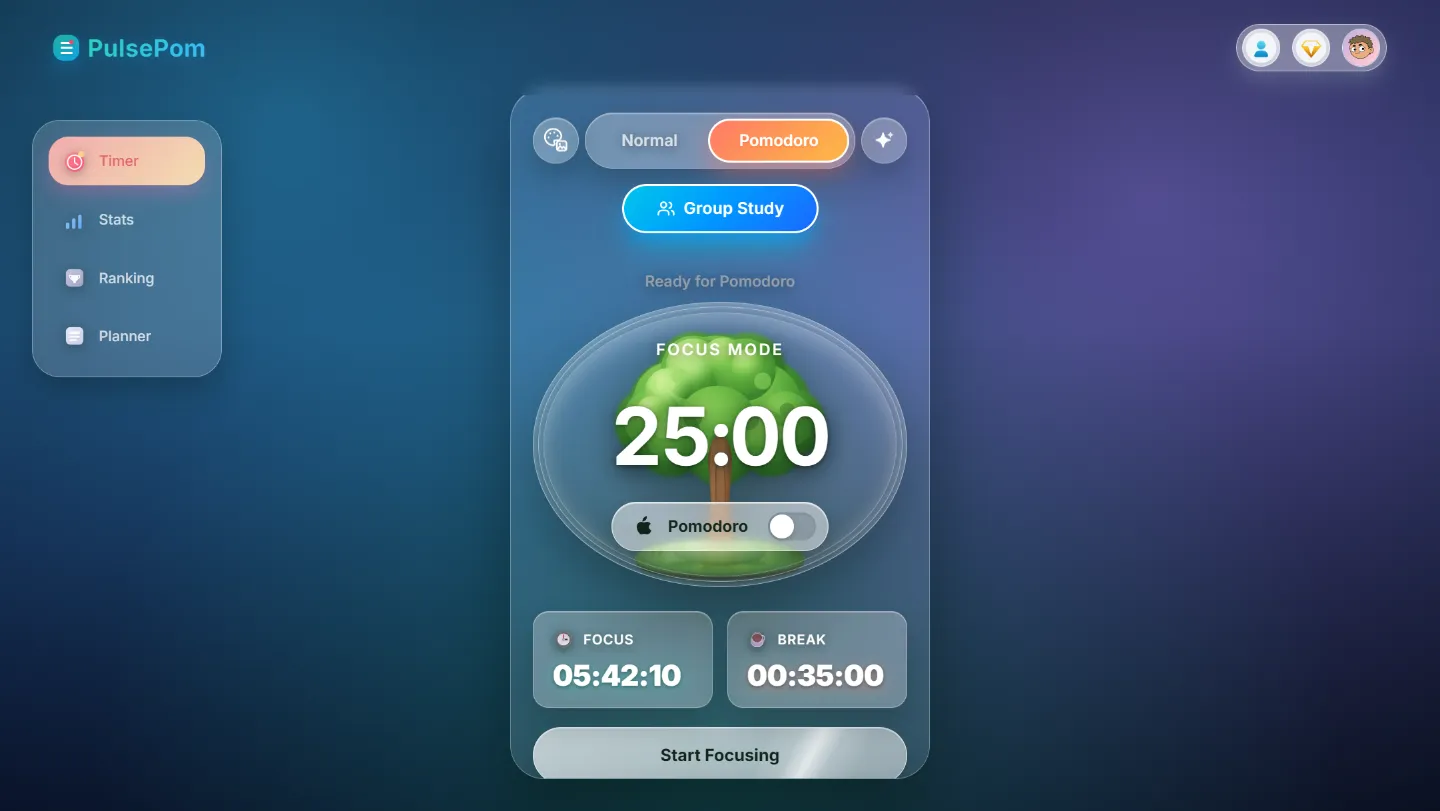
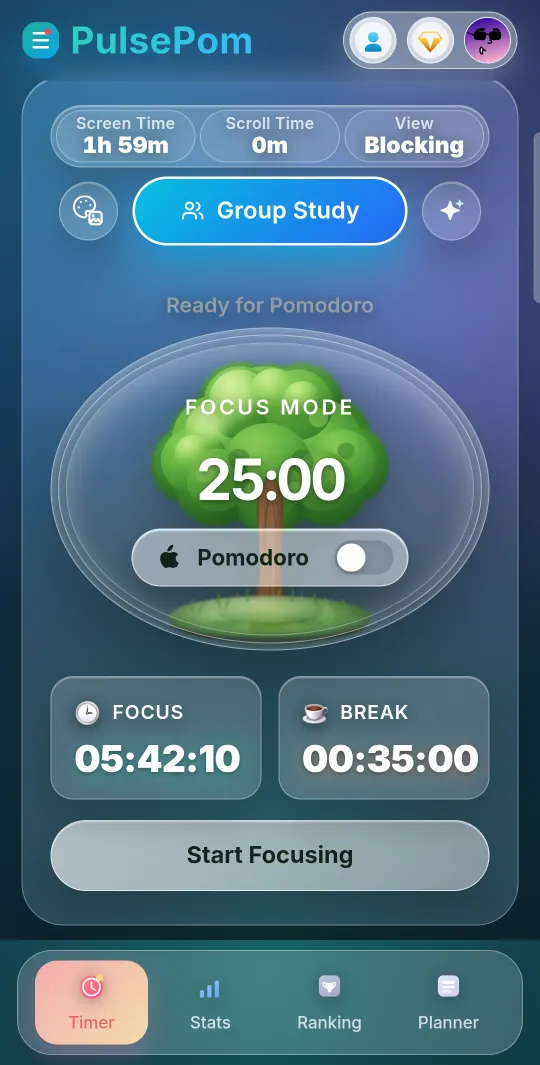
Pomodoro or Normal timer, with every session saved to a subject.
Focus timerStudy groupsPlannerApp blocker
The free study app with a Pomodoro focus timer, study groups, group chat, a planner, a habit tracker and study stats, all in one place. On Android, it also blocks distracting apps, YouTube Shorts and Instagram Reels while you study.
All-in-one study app
A focus timer, study groups, group chat, a planner, a habit tracker, stats and an Android app blocker, together in one app with one account on every device.
Pomodoro or Normal timer, with every session saved to a subject.
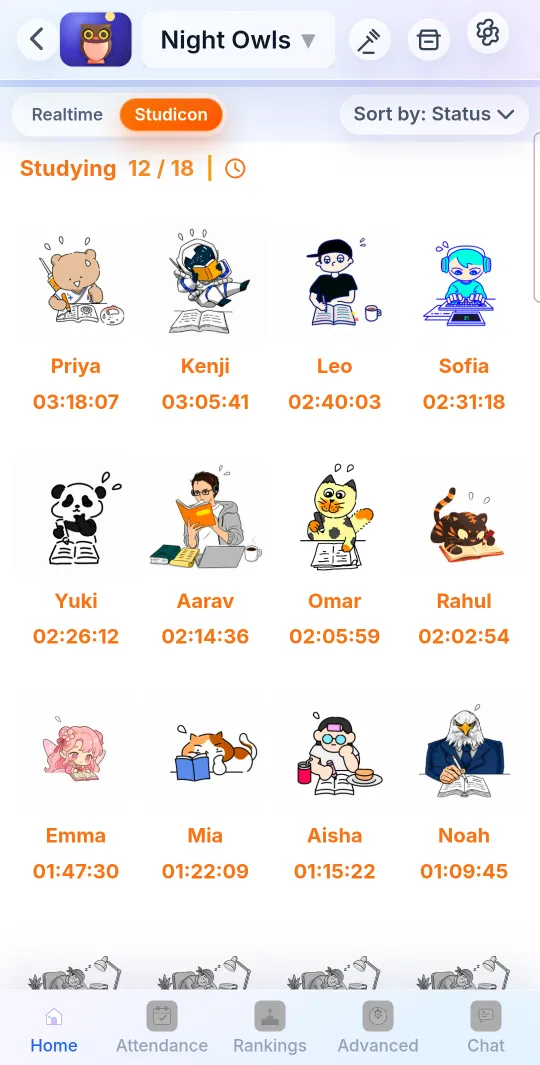
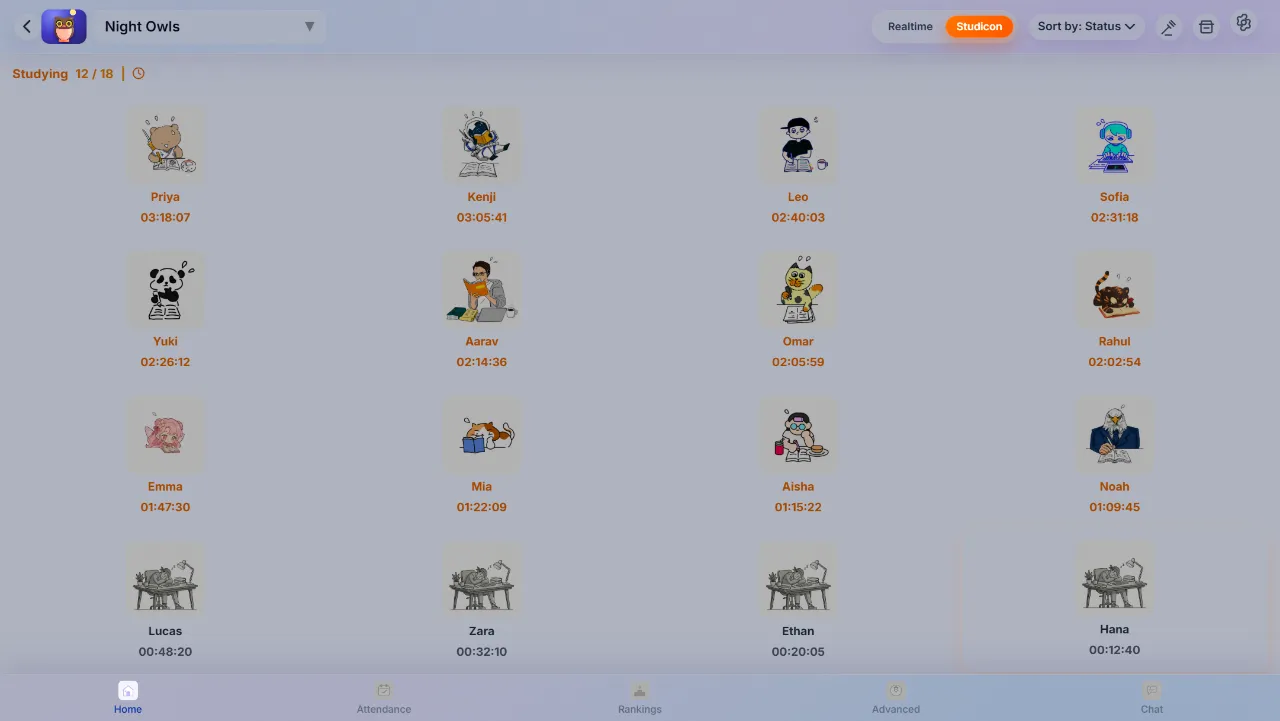
See who's studying, with 370+ free Studicons that change with your hours.
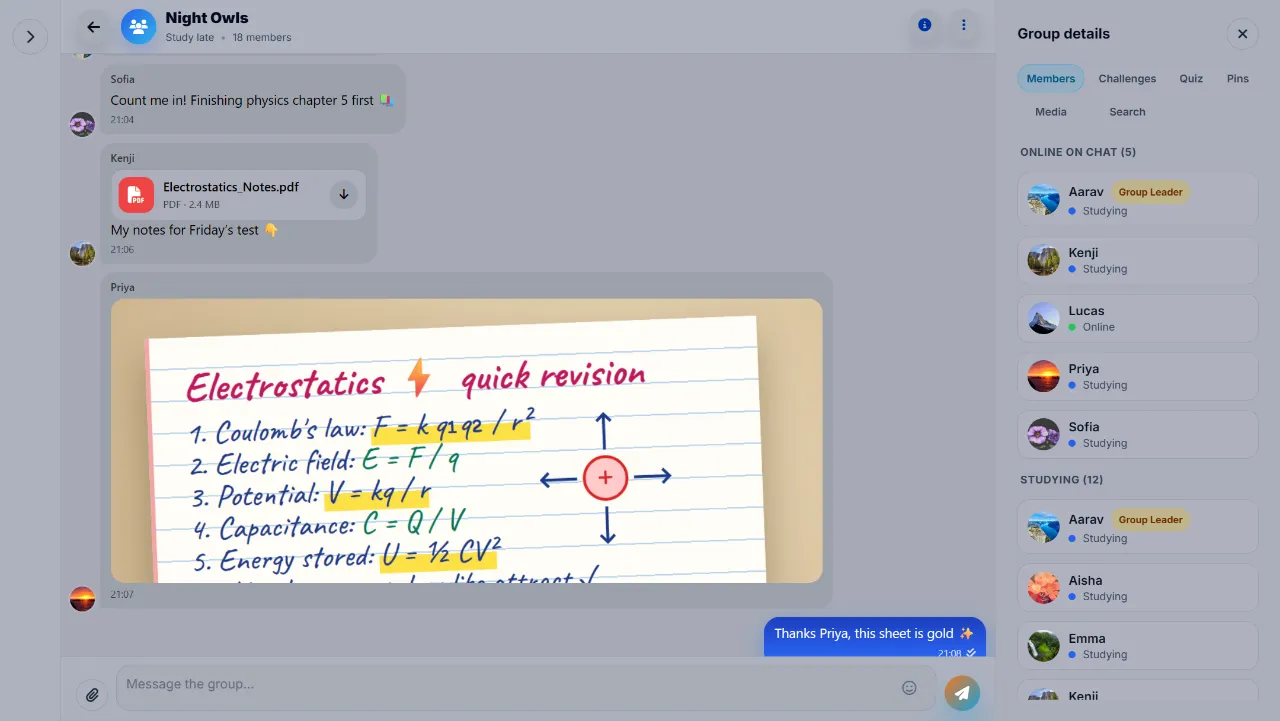
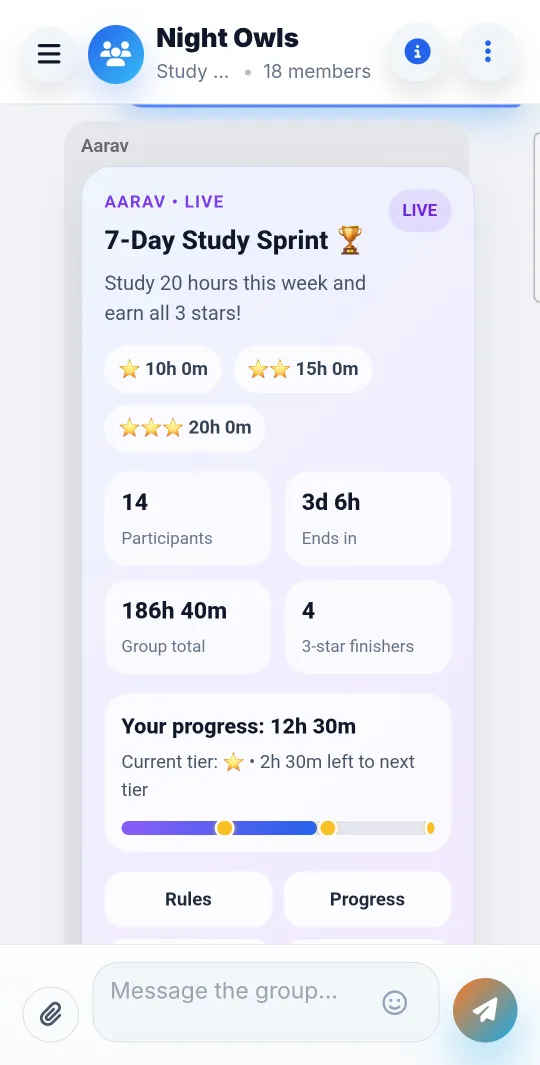
Share notes and photos, and run polls, quizzes and study challenges.
AI moderation for every image, antivirus and NSFW scans for every file.
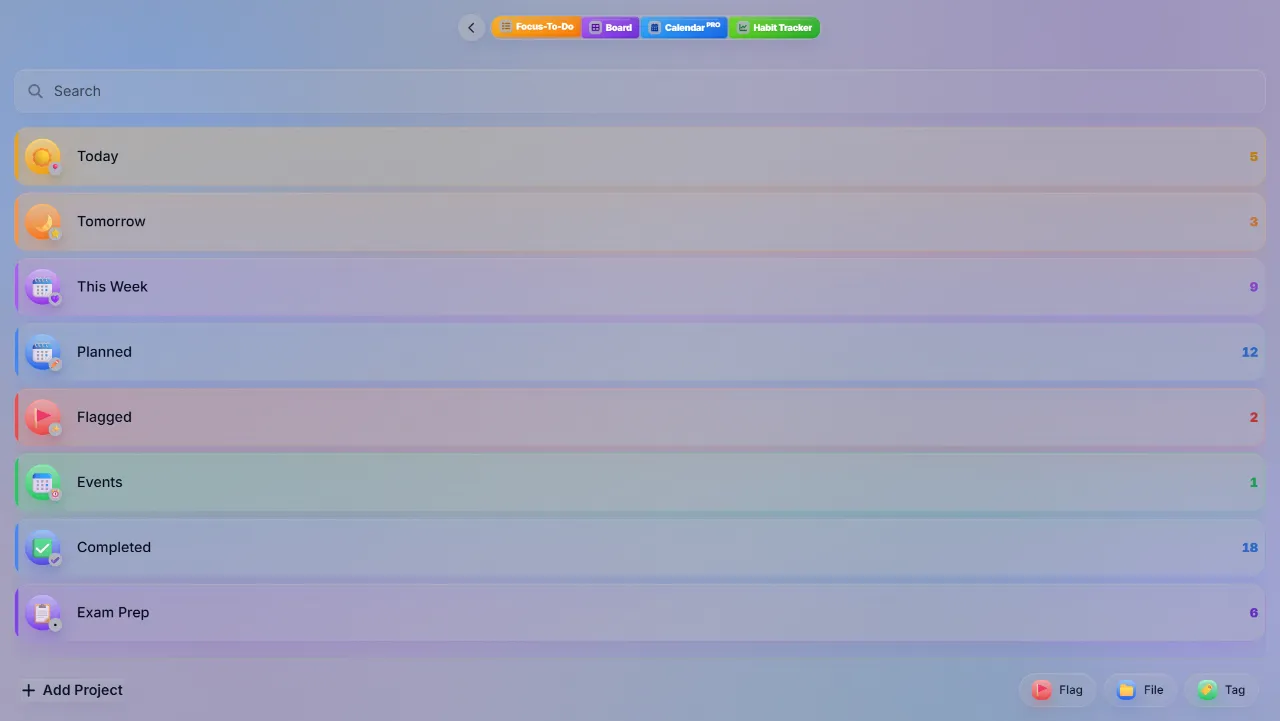
Today, This Week and your projects, in List or Board view.
Tick off your habits each day and watch your progress rings fill.
A study heatmap, hourly charts, streaks and global rankings.
Block Shorts, Reels, TikTok, apps and websites. Every blocking feature is free.
Focus timer
Choose Pomodoro for focus sessions with short and long breaks, or Normal for open-ended study. Every session is saved to a subject, and to a task if you like, so you always know where your hours went.
Study groups
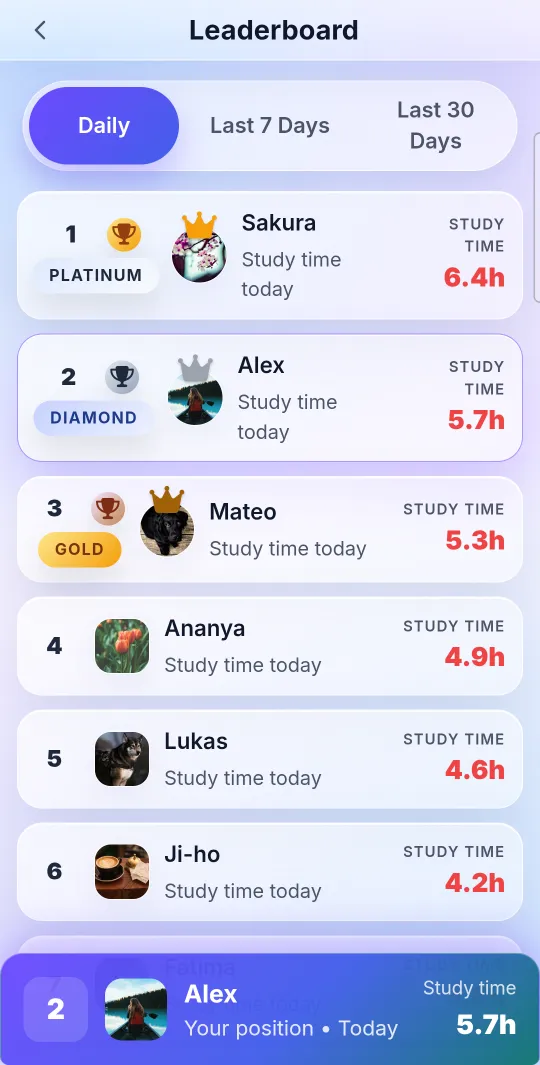
Create a study group or join one, and see who is studying and how long each member has studied today. It's the push of a library table, wherever you are.
Group chat
Talk, share notes and keep each other going, right next to your group's study time.
Every image is checked by AI moderation for NSFW content, personal information, self-harm, threats, weapons, injury and exam cheating. Every file gets an antivirus scan for viruses, malware and phishing, plus an NSFW filter. Anything that fails is refused and never stored, so no one sees it. Members can report messages, and accounts that break the rules can be suspended or banned.
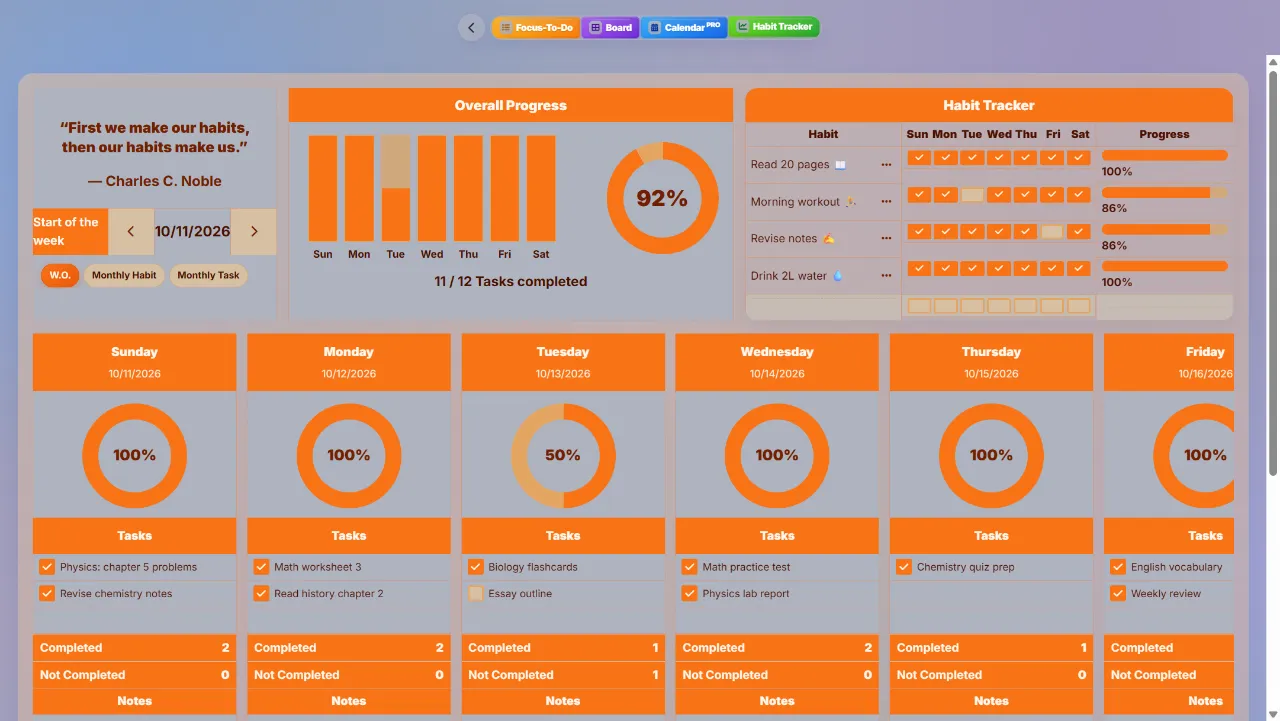
Planner and habit tracker
Keep tasks, deadlines and habits next to your focus timer, so a plan turns straight into study time.
Stats and leaderboards
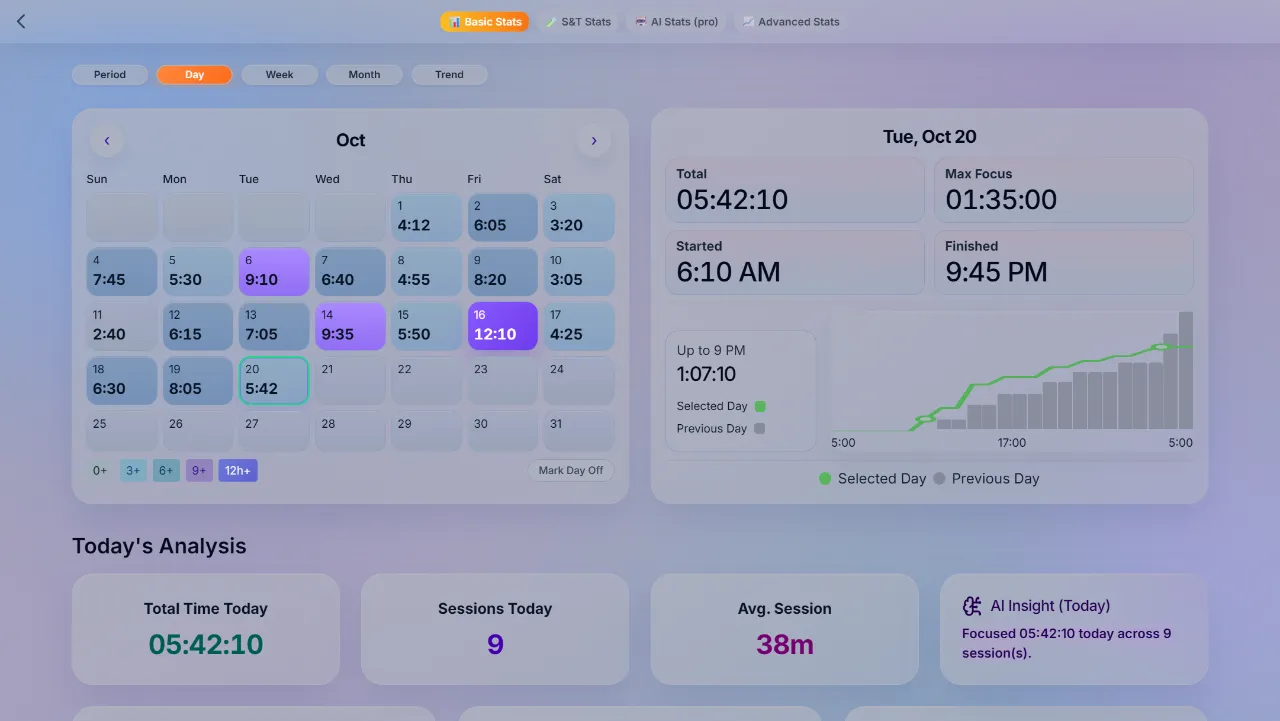
Every minute you focus shows up in your stats, so you can see what's working and keep your streak alive.
PulsePom AI · Premium
AI Stats Pro adds PulsePom AI. It looks at your own sessions, subjects, tasks, habits and mood ratings, builds study plans around them and answers questions about how you study. Stuck on a problem? Send a photo of your homework.
PulsePom AI is a study aid. Its answers are generated automatically, so check anything important.
Things you can ask
Android app · every blocking feature is free
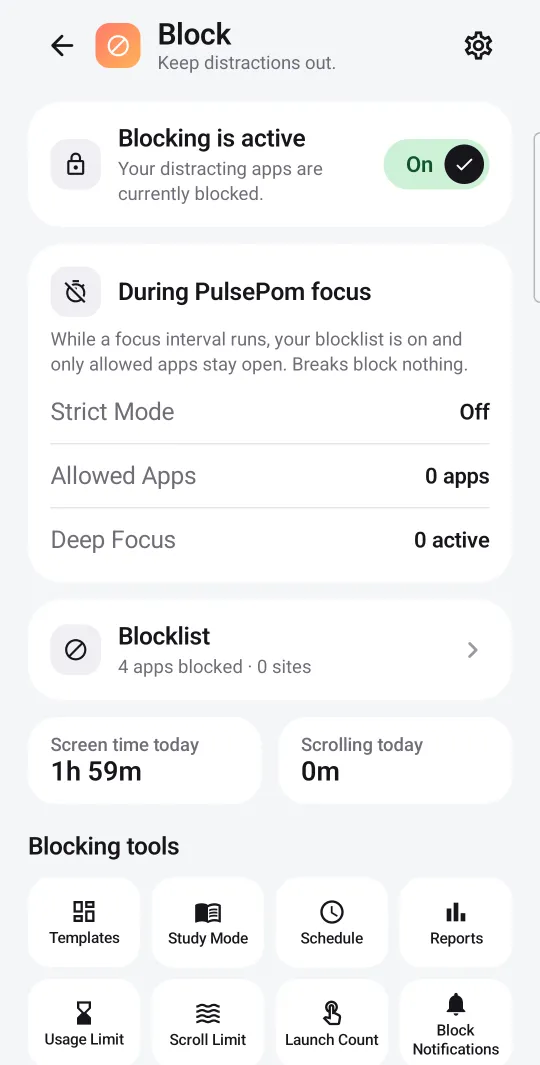
PulsePom's Android app keeps distractions away while you study, and every blocking feature is free, advanced ones included. During a focus session your blocklist switches on, and breaks block nothing. You can also block on a schedule or when a usage limit runs out.
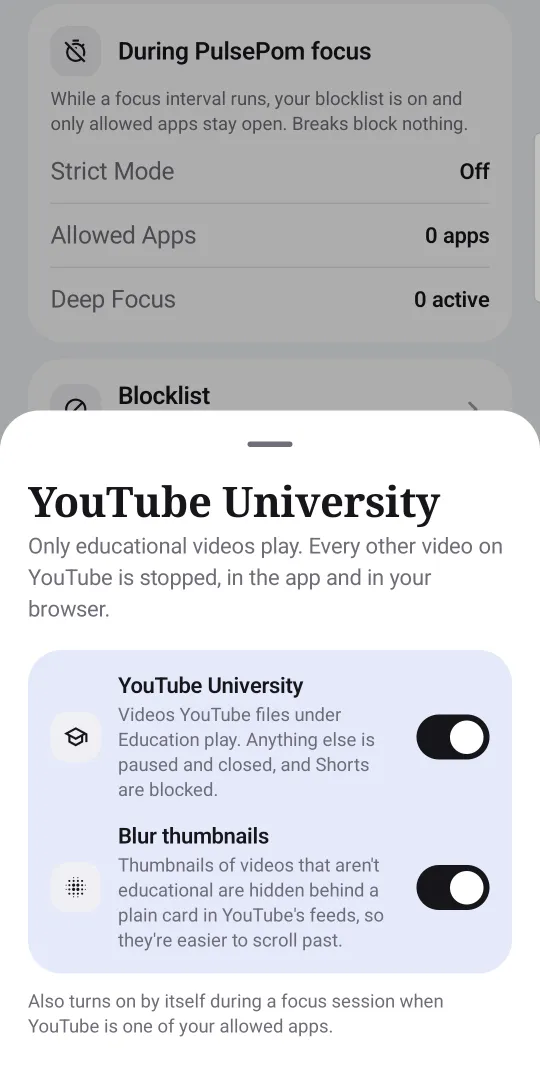
Blocking uses Android's Accessibility Service, which stays off until you turn it on. What it sees stays on your phone. The one exception is YouTube University, which sends video titles and channel names to YouTube's API to check whether a video is educational. Blocking is a self-control aid, not parental control.
Platforms
Start a session on your laptop, check your stats on your phone. Your sessions, tasks, habits and stats sync everywhere.
Use pulsepom.io in any modern browser. In Chrome or Edge you can install it as an app, and it opens quickly and works offline.
Open PulsePomEverything, plus the app and website blocker, YouTube University and a timer alarm that rings on the lock screen.
Get it on Google PlayThe full PulsePom app in its own window on your PC, with everything except the Android-only blocker.
Get it from MicrosoftUse PulsePom in Safari or any browser, with the same account. There is no App Store app, and blocking is Android-only.
Open in your browserWho it's for
For high-school and university students, anyone preparing for exams, self-learners, and remote workers who want to focus without distractions.
How PulsePom compares
YPT, Forest and Focus To-Do are well-loved study apps, and each of them does a lot more than one thing. Here's how their features line up with PulsePom's, so you can choose what suits you.
| Feature | PulsePom | YPT | Forest | Focus To-Do |
|---|---|---|---|---|
| Focus timer | Pomodoro, and a Normal stopwatch | Stopwatch by subject, and a Pomodoro timer | Pomodoro-style timer and stopwatch that grow a tree | Pomodoro timer and stopwatch |
| Study stats | Heatmap, hourly chart; day, week and month | Calendar and graphs; day, week and month | Tags, timeline; weekly to yearly history | Reports, trends, Gantt chart, calendar view |
| To-do list and planner | Lists, Board view, Calendar Pro (Premium) | Automatic study planner and daily to-do | Not listed | Tasks, projects, reminders, calendar view |
| Habit tracking | Weekly & Monthly habit tracker | Not listed | Not listed | Habit tracker with recurring tasks |
| Study with friends | Study groups with Studicons | Study groups with studycons (status icons) and cam study | Plant Together focus rooms | Not listed |
| Study avatars | 370+ Studicons, all free; new ones unlock as you study Free | Studycons, bought with flames (sold in-app or earned by watching ads) | Not listed | Not listed |
| Group chat | With AI-moderated images and virus-scanned files | In study groups, plus a community forum | Not listed | Not listed |
| Leaderboards | Global, and in every group | Realtime rankings by study category | Global leaderboard | Not listed |
| App blocking | Android: apps, websites, schedules, limits | Blocks other apps while timing, with allowed apps | Allowlist and Time Guard schedules | App whitelist |
| Shorts, Reels and YouTube controls | Android: blocks Shorts, Reels, TikTok and Facebook Reels; YouTube University | Not listed | Not listed | Not listed |
| Advanced blocking | Android: scroll and app-launch limits, notification blocking, location and Wi-Fi triggers, adult-site blocking in browsers | Not listed | Not listed | Not listed |
| Price of blocking | Every blocking feature is free, advanced ones included Free | Not stated | Not stated | Not stated |
| Focus sounds | No | Not listed | Ambient sounds | White noise |
| AI features | PulsePom AI: a study coach that uses your study data, and homework help from a photo (Premium) | AI conversation practice and word cards, paid with AI tokens | Not listed | Not listed |
| Smartwatch | No | Apple Watch, and Wear OS (in-app purchase) | Not listed | Apple Watch and Wear OS |
| Also offers | Study challenges, quizzes and polls; nine focus scenes | School timetables and meals, camera missions | Real tree planting, breathing exercises, Apple Health sync | Estimated Pomodoros per task, widgets |
| Platforms | Web, Android, Windows; iPhone and Mac in the browser | Android, iPhone, iPad, Apple-silicon Macs | Android, iPhone, iPad, Chrome and Firefox extensions | Android, iPhone, iPad, Mac, Windows, Chrome extension |
This comparison may be incomplete or out of date. PulsePom's column comes from the app itself. The other apps' columns come from public online sources, checked on 23 October 2026: their Google Play listings (YPT, Forest, Focus To-Do), App Store pages and an App Store story, official websites, Wikipedia, AlternativeTo, community documentation and reviews. "Not listed" means we didn't find the feature in those sources, not that the app lacks it, and "Not stated" means the sources don't say whether it's free. Apps change often, so check each app for its latest features.
YPT, Forest and Focus To-Do are trademarks of their owners, and PulsePom isn't affiliated with them.
Pricing
Everything you need to focus and study together is free, with no ads.
No ads
Monthly or yearly, or Lifetime on Android
Prices are shown in the app, in your currency.
Privacy and safety
PulsePom is a study app, so it's built to keep the people in it safe and their data private.
Read the Privacy Policy or see how to delete your account.
FAQ
PulsePom is an all-in-one focus and study app. It has a Pomodoro and Normal focus timer, study groups with group chat and study challenges, a planner, a habit tracker, and study stats and leaderboards. On Android it also blocks distracting apps, websites, YouTube Shorts and Instagram Reels while you study.
Yes. The focus timer, study groups and group chat, all 370+ Studicons, the planner, the habit tracker, stats, leaderboards and every Android blocking feature, advanced ones included, are free, with no ads. An optional Premium plan adds the PulsePom AI study coach and Calendar Pro.
Premium adds AI Stats Pro, with PulsePom AI, a study coach that builds study plans from your own study data and helps with homework from a photo, and Calendar Pro, which shows your deadlines, repeating tasks and workload in one calendar. Premium is a monthly or yearly subscription, and the Android app also offers a one-time Lifetime purchase.
Yes. Create a study group or join one, see who is studying and how long each member has studied today, chat and share notes, run study challenges, quizzes and polls, send wake-up nudges, and compare study hours on the group leaderboard.
Yes. All 370+ Studicons are free. New ones unlock as you study, and none of them are sold.
Every image shared in PulsePom is checked by AI moderation for NSFW content, personal information, self-harm, threats, weapons, injury and exam cheating, and every file is scanned for viruses, malware, phishing and NSFW content. Anything that fails is refused before anyone can see it. Members can report messages, and accounts that break the rules can be suspended or banned.
Yes, in the Android app. It blocks YouTube Shorts, Instagram Reels, TikTok and Facebook Reels, plus any app or website you choose, during focus sessions, on a schedule or when a usage limit runs out.
Yes. Every blocking feature in PulsePom's Android app is free, with no paywall: app and website blocking, Shorts, Reels, TikTok and Facebook Reels blocking, YouTube University, Study Mode, Strict Mode, usage, scroll and app-launch limits, notification blocking, location and Wi-Fi triggers, adult-site blocking, schedule blocking, lock my phone schedule blocking, split screen & floating window blocking, and screen-time and scroll-time reports.
YouTube University is a setting in PulsePom's Android app. While it is on, only videos that YouTube files under Education play. Other videos are paused and closed, and Shorts are blocked, in the YouTube app and in your browser.
Yes. Install PulsePom from the Microsoft Store, or use it in any browser at pulsepom.io. The Windows app has everything except the app blocker, which is Android-only.
Yes. In Chrome, Edge and Firefox on a computer, and in the Windows app, a small floating timer stays on top of your other apps and tabs while a timer runs, with Pause and Stop beside the time. Ten seconds after you switch away it folds down to just the time; click it to open it again. You can turn it off in Profile & Settings.
Yes, in the browser at pulsepom.io, with the same account. There is no App Store app, and app blocking is only in the Android app.
Yes. Every session is saved to a subject/task. Stats show daily, weekly and monthly totals, an hour-by-hour chart of your day, a study heatmap and your streak.
Yes. The 'Timer' section works offline.
No. PulsePom has no ads and no ad trackers, and it never sells your data.
Yes, a free account. Sign in with email and password, Google or Microsoft, and your sessions, tasks, habits and stats sync across the web, Android and Windows.
PulsePom is free on the web, Android and Windows. Bring your friends and start your first session today.